How to access your back office
 Updated
Click below to learn by video 🎥

Your complete payment data, all in one location!
We've streamlined how you access your financial information. Now, all your back office payment data is right within the Vetsource Payments platform. That means no more jumping between different portals or remembering extra logins!
Access your Back office through the link in the left side menu.
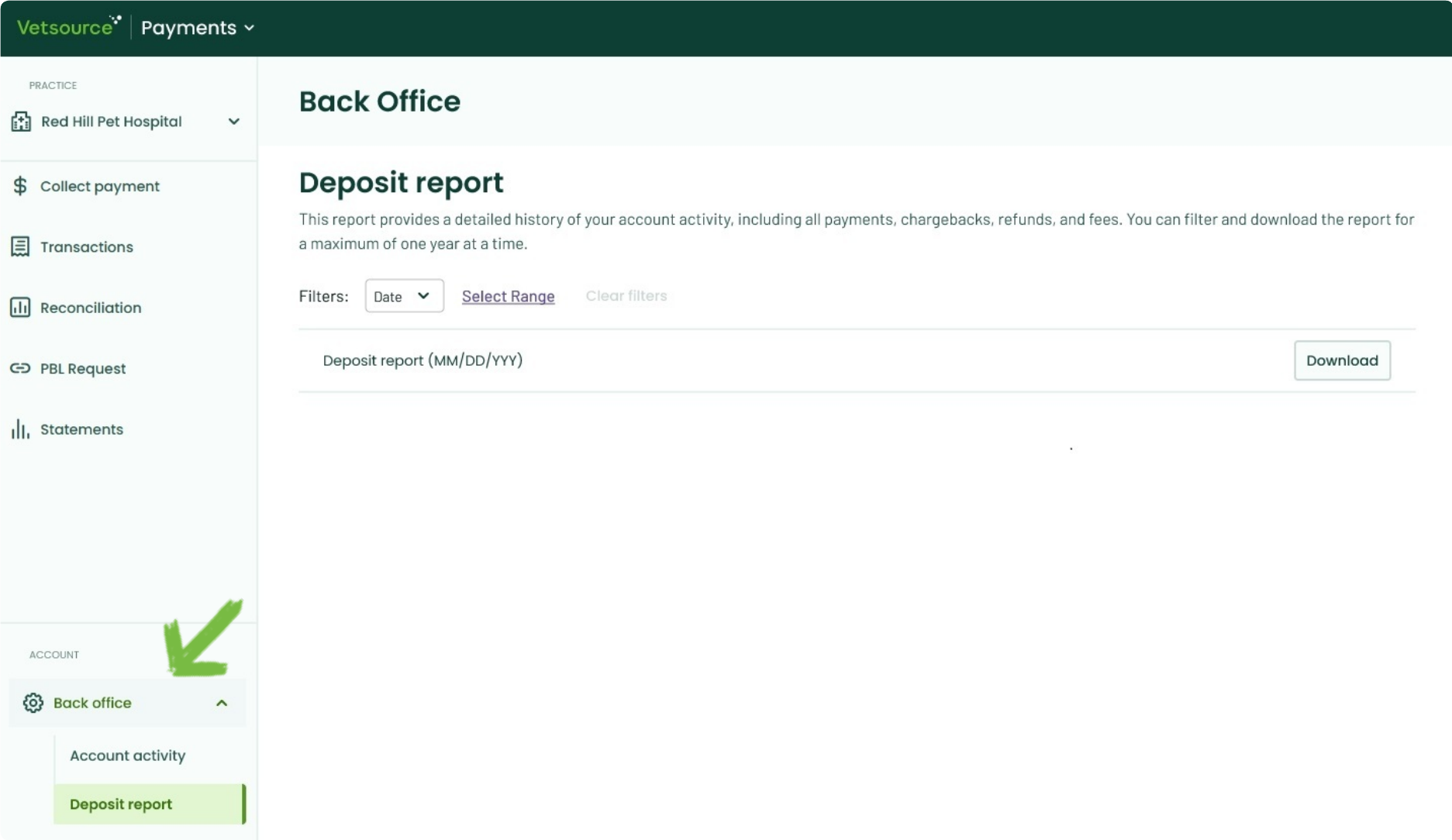
You will have access to your Account activity, providing real time data as you process payments and receive your deposits. For more information, see our Back office account activity article.
You can filter by a specific deposit date or a date range in the Deposit report tab to download a CSV file containing your detailed deposit information by transaction.

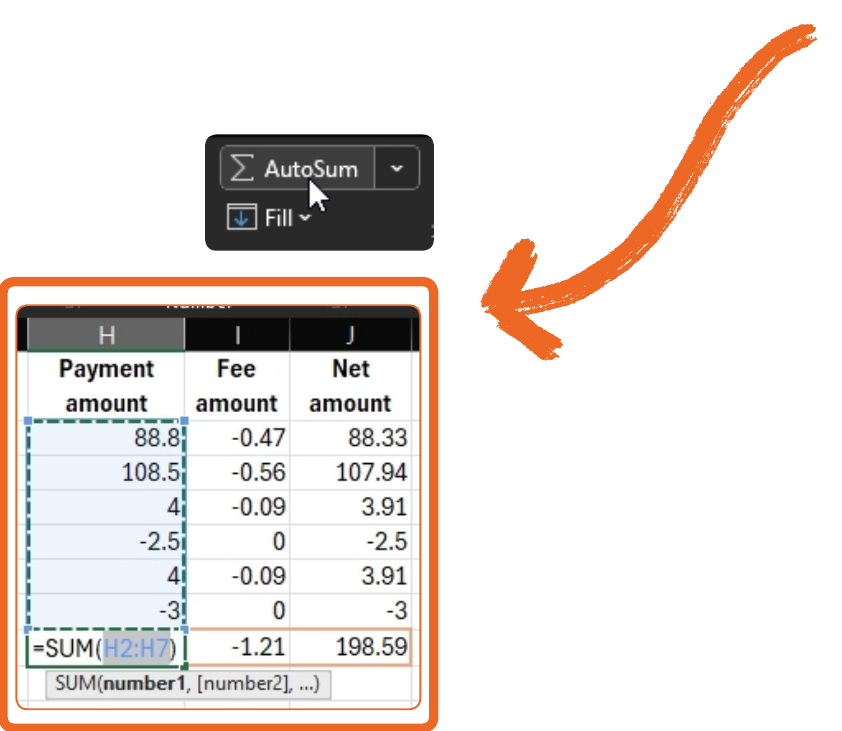
To quickly calculate the total payment collections, fees deducted, and net deposit for your selected dates, use Excel's AutoSum tool. You can find this in the editing tools or use the keyboard shortcut Alt + =.