Back Office - Deposit Report Dashboard
 Updated
Deposit Report Dashboard
The Deposit Report Dashboard provides instant visibility into your daily cash flow. By centralizing charges, fees, and net deposits, this tool keeps your records accurate and simplifies bank reconciliation.
Click below to learn by video 🎥
Getting Started
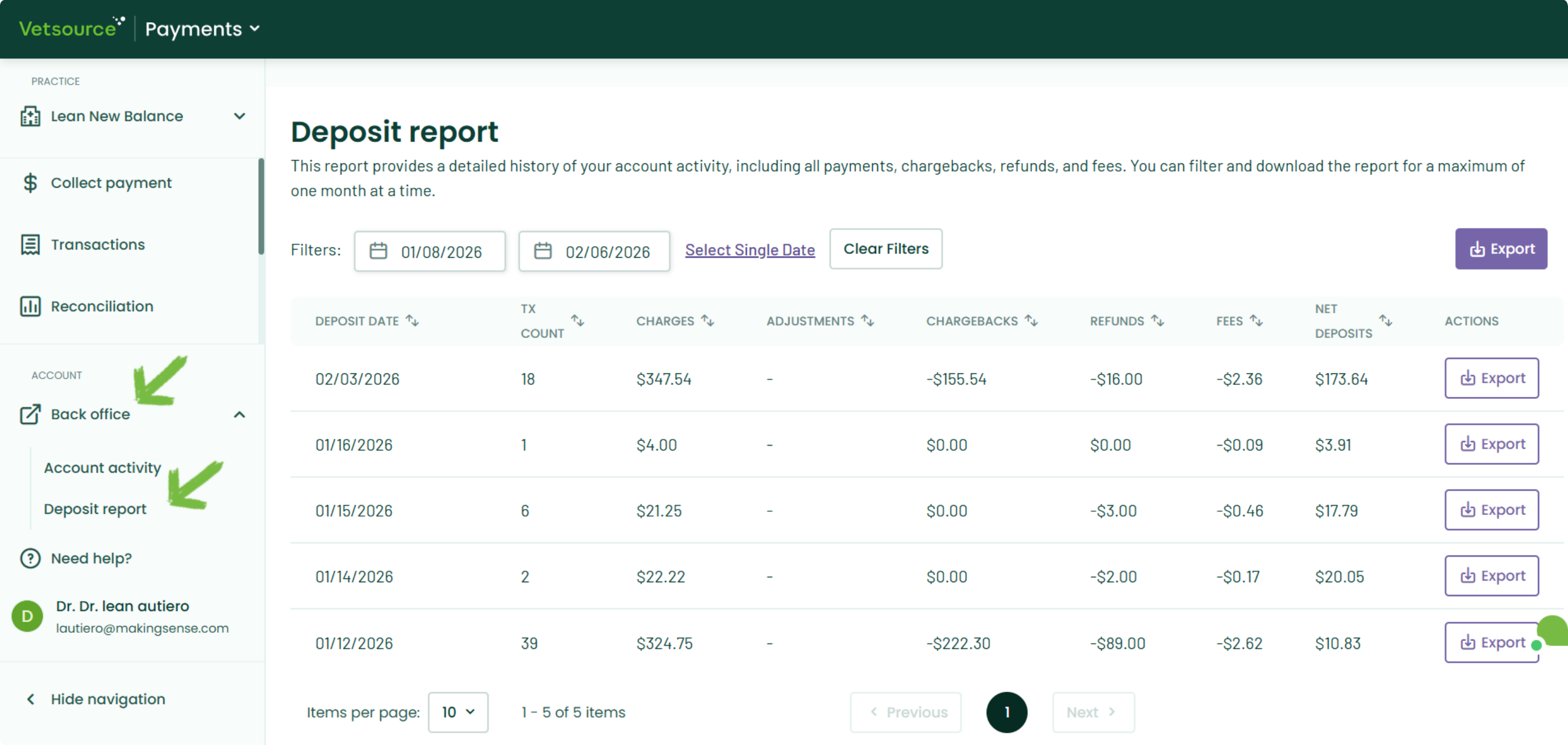
To access the dashboard, navigate to Back office → Deposit report from the left-side menu.
Navigating the Dashboard
- View Recent Activity: By default, the dashboard displays your daily totals for the last 7 days, giving you a quick look at recent bank activity.
- Customize Your Date Range: Use the date picker to view any timeframe up to one month.
- Choose Your Export Type: Click the corresponding Export button based on the level of detail you need:
- Export Summary: Downloads a CSV of the daily totals currently displayed on your screen—perfect for quick monthly reconciliation.
- Export Transaction Detail: Downloads the granular, line-by-line transaction data for every transaction included in those daily deposits.
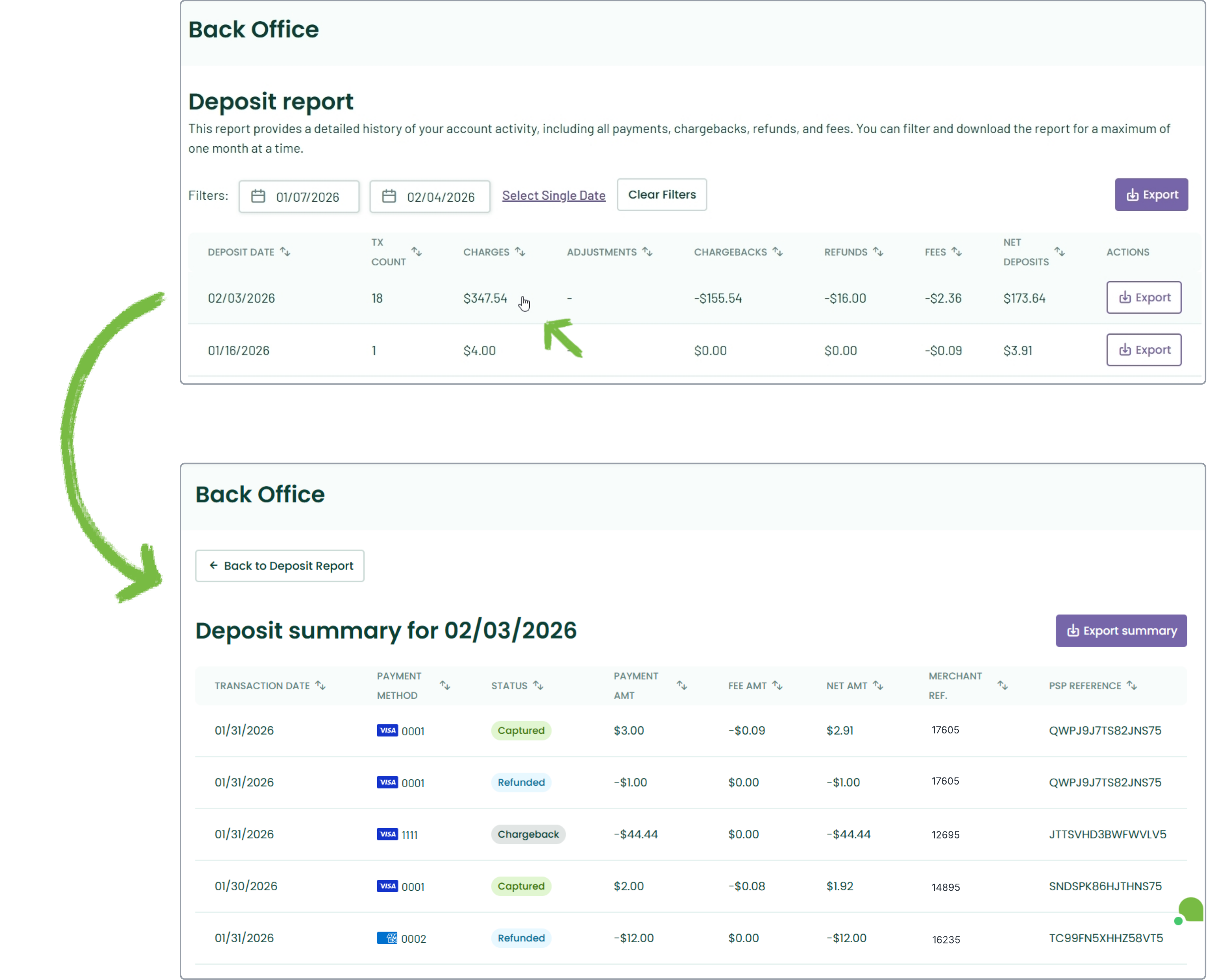
- View Daily Deposit Summary: Select any date row to view the specific transaction-level details that comprise that day’s total deposit.
Account Activity
The Deposit report is optimized for reviewing settled funds. For a live view of payment authorizations, you can access Account activity from the left-side menu. For more information on the data available in that view, please see our Back office account activity article.
