A Smarter Way to Manage Transactions
 Updated
Introducing a smarter Transactions interface, redesigned to simplify how you manage payments and serve your clients more efficiently.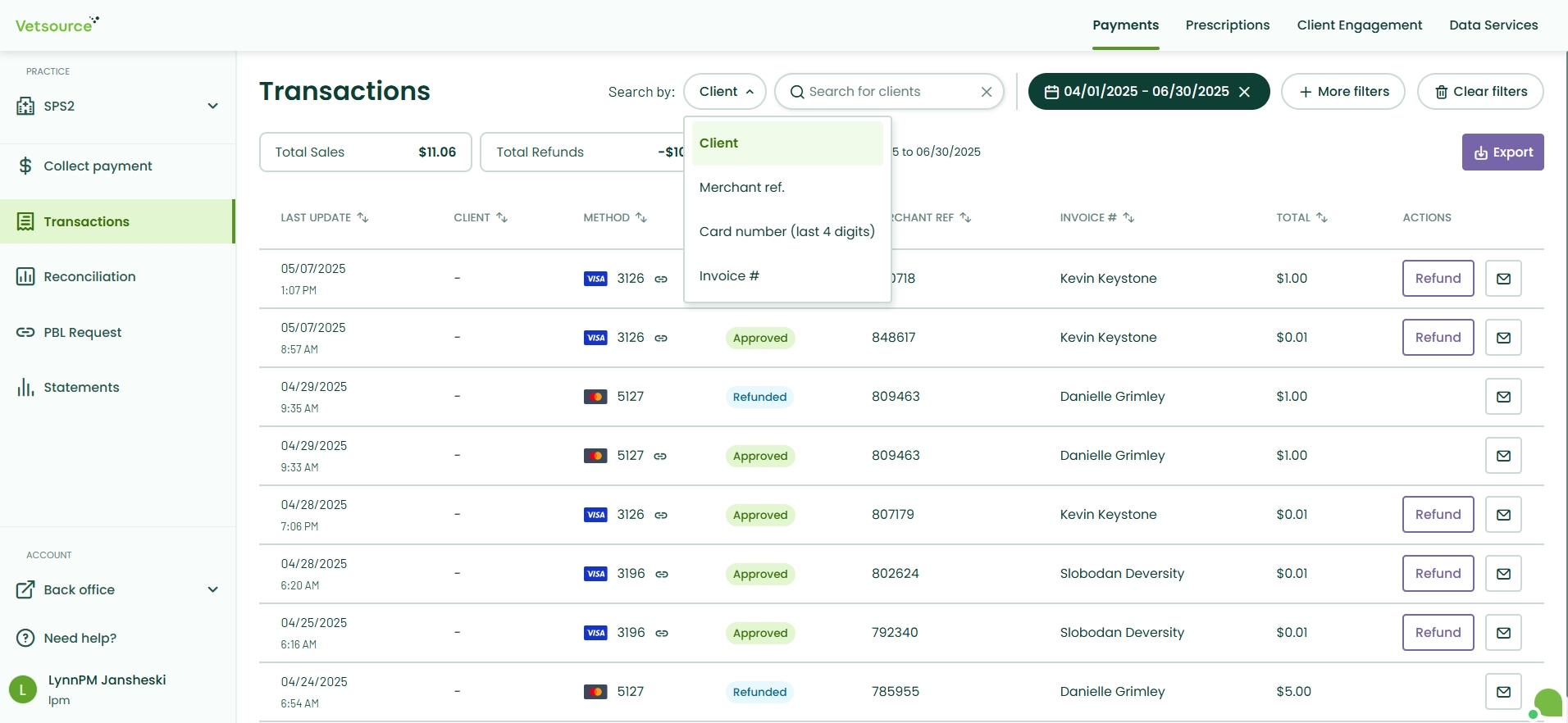
This update streamlines your management workflow with several key improvements:
- NEW Cleaner Design: We’ve refreshed the interface with a more intuitive and clutter-free layout, making it faster and easier to refine your view and find the data you need.
- Faster Searching by Default: Your list now defaults to the last 31 days (up from same-day), so you can find recent activity instantly without manually adjusting filters.
- Expanded 90-Day History: We’ve extended the search window to 90 days, making it easier to search and manage older transaction records.
- NEW Expanded Search Options: Locating specific transactions is now simpler than ever. You can instantly look up records using:
- Merchant Reference: Quickly track down all related transactions with the merchant reference number.
- Card Last 4 Digits: Easily find transactions when a client provides their card information.
- One-Click Details: No more hunting for a tiny three-dot menu. You can now click anywhere on a transaction row to instantly view the full details including all related transactions.
- New Merchant Reference Column: We’ve brought related transactions out from behind "Varied" dropdowns. You can now sort by the Merchant Reference column to immediately surface an original sale and all its associated transactions in one view.
- Accurate Record Dating: To ensure your audit trail is clear, original transaction dates are now preserved. Refunds will no longer "re-index" the original transaction date, so you can always find records exactly where they belong.
- Simplified Refunds & Emails: Process refunds in fewer clicks and send checkout summaries directly to clients with ease.
This is just the start. We are hard at work to continue making your transaction management as smooth as possible. Stay tuned!
